

Hello to all, welcome to therichpost.com. In this post, I will tell you, WordPress parse_query working example.
If you are new in WordPress, then you can check my old post related to WordPress.
I am working in wordpress from last 4 years but everyday I find anything interesting and anything new in WordPress that I why I like it.
Today in this post, I will tell you, how to modified or send variable to WordPress query with WordPress Filter and this is going to very interesting.
Here is the short story on today post:
——————————————————–
Today, In my WordPress Backend section. Woocommerce Products Stock Filters are not working and I was very worried for this but after some search and my mind, I made one hook to overcome this issue and I succeed and In this post, I will share this filter hook.
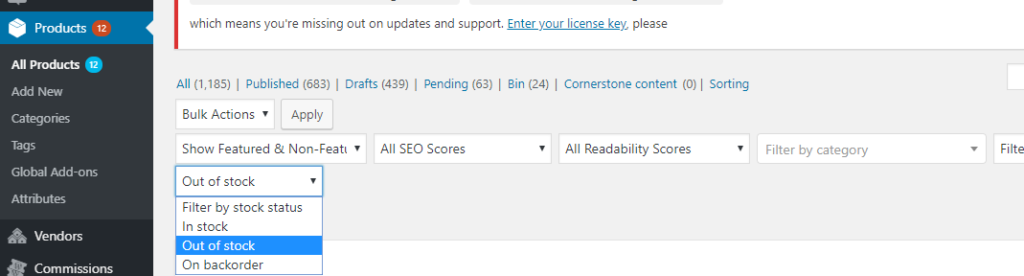
Here is the working Filter and you can add this into your WordPress theme’s functions.php file:
add_filter( 'parse_query', 'my_theme_posts_filter' );
function my_theme_posts_filter( $query ){
    global $pagenow;
    $type = 'product';
    if (isset($_GET['post_type'])) {
        $type = $_GET['post_type'];
    }
    if ( 'product' == $type && is_admin() && $pagenow=='edit.php' && isset($_GET['stock_status']) && $_GET['stock_status'] != '') {
        $query->query_vars['meta_key'] = '_stock_status';
        $query->query_vars['meta_value'] = $_GET['stock_status'];
    }

}
With above hook, I made my Stock in-out again working. If you have any query related to this post, then please do comment below.
Harjas,
Thank you
Leave a Reply
You must be logged in to post a comment.