
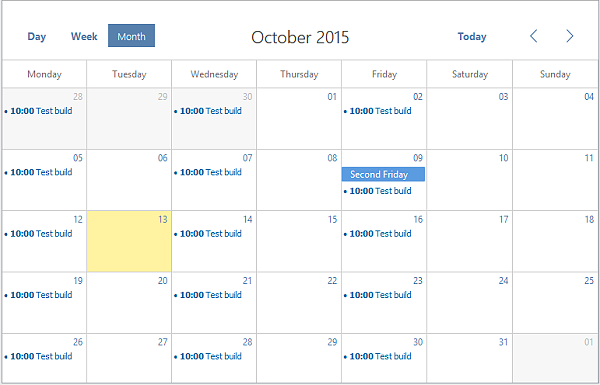
Hello to all, welcome to therichpost.com. In this post, I will tell you, How to Render Events in fullCalendar with Angularjs?
Angularjs and Fullcalendar both are popular in their fields.
Here is the working code for Render Events in fullCalendar with Angularjs:
<!DOCTYPE html>
<html>
<head>
<script src="https://ajax.googleapis.com/ajax/libs/jquery/3.3.1/jquery.min.js"></script>
<link href='https://fullcalendar.io/releases/fullcalendar/3.9.0/fullcalendar.min.css' rel='stylesheet' />
<link href='https://fullcalendar.io/releases/fullcalendar/3.9.0/fullcalendar.print.min.css' rel='stylesheet' media='print' />
<script src='https://fullcalendar.io/releases/fullcalendar/3.9.0/lib/moment.min.js'></script>
<script src='https://fullcalendar.io/releases/fullcalendar/3.9.0/lib/jquery.min.js'></script>
<script src='https://fullcalendar.io/releases/fullcalendar/3.9.0/fullcalendar.min.js'></script>
<script src= "http://ajax.googleapis.com/ajax/libs/angularjs/1.2.26/angular.min.js"></script>
</head>
<body ng-app="myApp">
<div  ng-controller="myCtrl">
    <div id='calendar'></div>
</div>
<script>
var app = angular.module('myApp', []);
app.controller('myCtrl', function($scope) {
     $scope.names = [
        {
          title: 'All Day Event',
          start: '2018-07-19',

        },
        {
          title: 'Long Event',
          start: '2018-07-20'

        }
      ];
    console.log($scope.names);
    $('#calendar').fullCalendar({
  events: $scope.names
  });
  });
</script>
</body>
</html>
If you have any query related to this post, then do comment or you can ask the questions also.


Leave a Reply
You must be logged in to post a comment.