
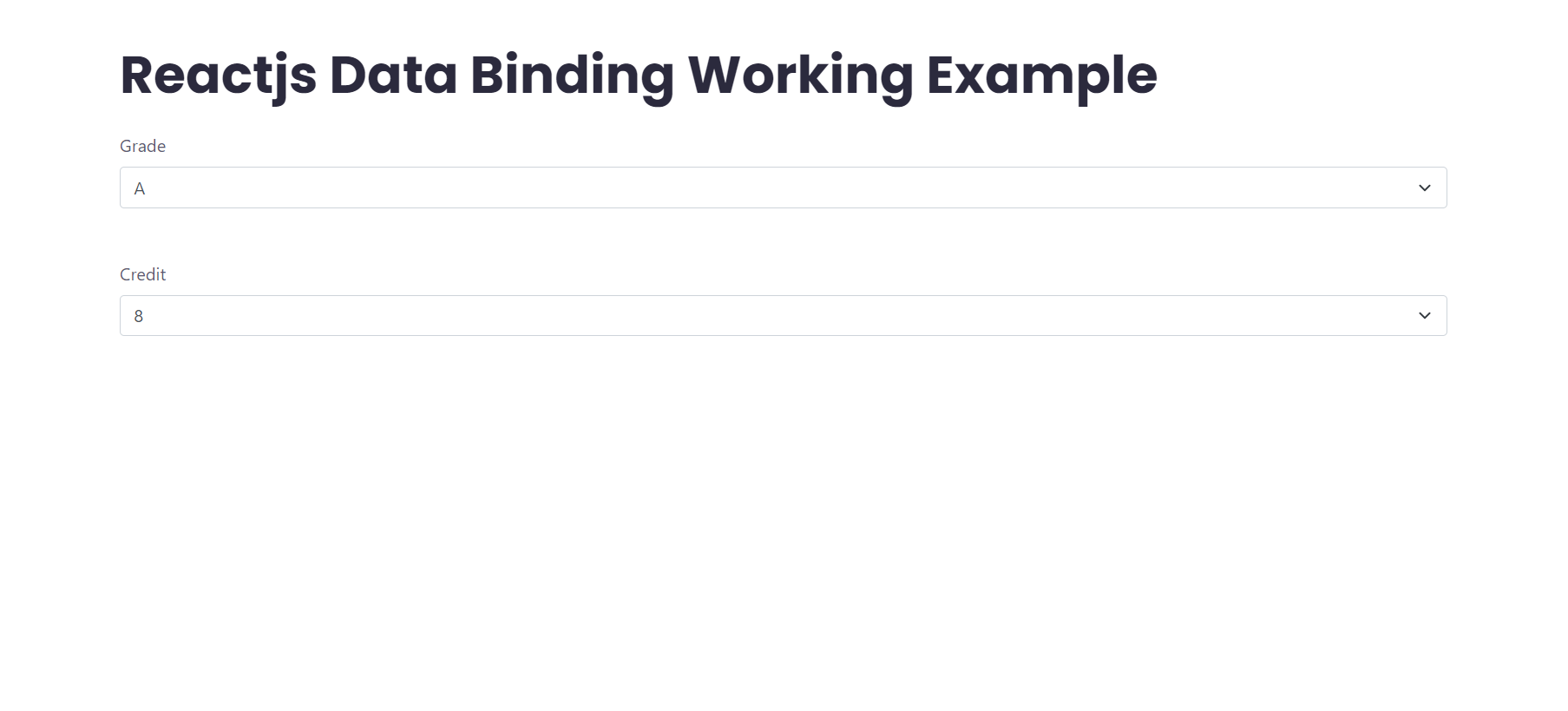
Hello friends, welcome back to my blog. Today in this blog post, I am going to show you, Reactjs Data Binding Working Example.
Guys in this working post, I am binding two select inputs. for proper understanding please check this video first.
For reactjs new comers, please check the below link:
Friends now I proceed onwards and here is the working code snippet and please use this carefully to avoid the mistakes:
1. Firstly, we need fresh reactjs setup and for that, we need to run below commands into out terminal and also we should have latest node version installed on our system:
npx create-react-app reacttricks

cd reacttricks
2. Now we need to run below commands into our project terminal to get bootstrap(optional, I am using to make application looks good) and related modules into our reactjs application:
npm install bootstrap --save

npm start //For start project
3. Finally for the main output, we need to add below code into our reacttricks/src/App.js file or if you have fresh setup then you can replace reacttricks/src/App.js file code with below code:
import React from 'react';

import "./App.css";
class App extends React.Component {
  constructor() {
    super();
    this.state = { value: 10 };
  }

  //select onchange event to get and set value
  handleChange = (e) => {
    this.setState({ value: e.target.value });
  };
  render() {
    return (
      <div className="container p-5">
       <h1 className="mb-4">therichpost.com</h1>
       <div class="mb-3">
         <label class="form-label">Grade</label>
           <select id="grade" value={this.state.value}
             onChange={this.handleChange} class="form-select mb-5">
                <option value="select Grade">  Select Grade  </option>
                <option value="10">O</option>
                <option value="9">A+</option>
                <option value="8">A</option>
                <option value="7">B+</option>
                <option value="6">B</option>
                <option value="0">RA</option>
            </select>
      </div>

      <div class="mb-3">
         <label class="form-label">Credit</label>
          <select id="credit" value={this.state.value} class="form-select">
                    <option disabled={this.state.value != "select Grade" ? true : false} value="select Credit">  Select Credit  </option>
                    <option disabled={this.state.value != 10 ? true : false} value="10">10</option>
                    <option disabled={this.state.value != 9 ? true : false} value="9">9</option>
                    <option disabled={this.state.value != 8 ? true : false} value="8">8</option>
                    <option disabled={this.state.value != 7 ? true : false} value="7">7</option>
                    <option disabled={this.state.value != 6 ? true : false} value="6">6</option>
                    <option disabled={this.state.value != 0 ? true : false} value="0">0</option>
          </select>
      </div>

      </div>
    );
  }
}

export default App;
4. Guys now we need to add below code into our reacttricks/src/App.css file to set custom styles:
#credit option:disabled{
    display: none;
}
Now we are done friends. If you have any kind of query or suggestion or any requirement then feel free to comment below.
Note: Friends, I just tell the basic setup and things, you can change the code according to your requirements.
I will appreciate that if you will tell your views for this post. Nothing matters if your views will be good or bad.
Jassa
Thanks


Leave a Reply
You must be logged in to post a comment.