

Hello to all, welcome to therichpost.com. In this post, I will tell you, Angular 8 chartjs working example.
Chartjs is very popular and very easy to use. On my blog, I have share many posts related to chartjs.
Now, I am using chartjs in angular 8 and in this I will static data but In my future posts, I will dynamic data from laravel 6.
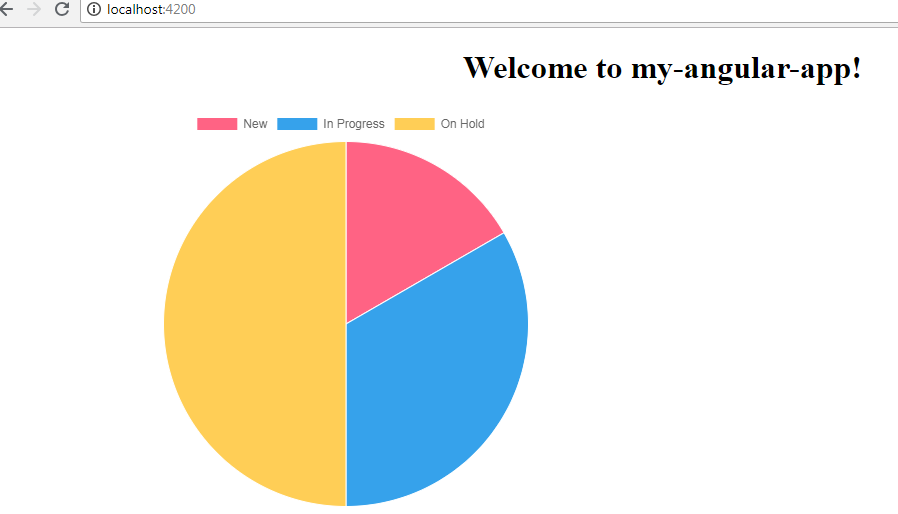
Here is the working code snippet and please use this carefully:
1. Here are the basics commands, you need to use into your terminal or command prompt to install Angular 8 fresh set up:
$ npm install -g @angular/cli //Setup Angular8 atmosphere

$ ng new angular8chartjs //Install New Angular App

/**You need to update your Nodejs also for this verison**/

$ cd angular8chartjs //Go inside the Angular 8 Project
2. After Install Angular 8 fresh setup and go inside the Angular 8 setup, run below command into your terminal to install chartjs module:
npm install --save chart.js
3. After all above setup, here is code, you need to add into your app.component.ts file:
import { Component } from '@angular/core';
import * as Chart from 'chart.js'
@Component({
  selector: 'app-root',
  templateUrl: './app.component.html',
  styleUrls: ['./app.component.css']
})
export class AppComponent {
  title = 'angular8chartjs';
  canvas: any;
  ctx: any;
  ngAfterViewInit() {
    this.canvas = document.getElementById('myChart');
    this.ctx = this.canvas.getContext('2d');
    let myChart = new Chart(this.ctx, {
      type: 'pie',
      data: {
          labels: ["New", "In Progress", "On Hold"],
          datasets: [{
              label: '# of Votes',
              data: [1,2,3],
              backgroundColor: [
                  'rgba(255, 99, 132, 1)',
                  'rgba(54, 162, 235, 1)',
                  'rgba(255, 206, 86, 1)'
              ],
              borderWidth: 1
          }]
      },
      options: {
        responsive: false,
        display:true
      }
    });
  }
}
4. Now, add below code into your app.component.html file:
<canvas id="myChart" width="700" height="400"></canvas>
In this end, don’t forget to run ng serve command into your terminal and you will get this url localhost:4200
If you have any query related to this post, then please comment below.
jassa
Thank you


Leave a Reply